
A website redesign is an opportunity to improve more than your website’s appearance. It is a chance to make your digital experience easier to use, strengthen your brand, improve performance, and help your business achieve its goals.
However, redesigning a website without proper planning can create unnecessary problems. Important pages may disappear, search rankings may decline, useful content may be lost, and new design elements may introduce usability or performance issues.
Whether you are planning a complete website rebuild or improving an existing WordPress website, preparation is essential.
This website redesign checklist covers the key areas to review before development begins, during the redesign process, and before your new website goes live.
1. Define Your Website Redesign Goals
Before changing layouts, selecting colors, or rebuilding pages, identify why your website needs a redesign.
A website that looks outdated may need a visual refresh, but the underlying problem could be confusing navigation, unclear messaging, poor mobile usability, or an ineffective conversion journey.
Start by identifying the business outcomes you want the redesigned website to support.
Common website redesign goals
- Generate more qualified enquiries.
- Improve product discovery and online sales.
- Communicate services and value propositions more clearly.
- Improve mobile usability.
- Make content easier for your team to manage.
- Address performance or technical limitations.
- Improve accessibility and usability.
- Support SEO and content growth.
- Integrate the website with your CRM or other business systems.
- Establish a more consistent brand experience.
Turn goals into measurable objectives
Avoid relying only on vague goals such as making the website look modern. Instead, connect each goal to a metric or observable improvement.
| Goal | What to measure |
|---|---|
| Generate more enquiries | Qualified form submissions and enquiry conversion rate |
| Improve ecommerce performance | Purchase conversion rate and checkout completion |
| Improve content discovery | Navigation behavior and engagement with key pages |
| Improve performance | Core Web Vitals and real-user performance data |
| Improve lead quality | Qualified leads and the proportion of relevant enquiries |
| Improve usability | Task completion, usability feedback, and common user difficulties |
Record the current baseline before making changes. This gives you something meaningful to compare against after launch.
Goals Checklist
- ✓ Identify the main reason for redesigning.
- ✓ Define your primary audience.
- ✓ Choose the most important business outcomes.
- ✓ Record current performance and conversion metrics where available.
- ✓ Agree on how success will be evaluated.
2. Audit Your Existing Website Before Rebuilding It
One of the biggest mistakes businesses make is starting a redesign without understanding what already works.
Your existing website may contain valuable content, strong-performing landing pages, useful resources, important backlinks, and functionality that visitors rely on.
A website audit helps you identify what to keep, what to improve, and what to remove.
Review the main areas of your website
- Content: Which pages are accurate, useful, outdated, duplicated, or incomplete?
- Design: Which layouts look inconsistent or make information difficult to understand?
- User experience: Where do visitors struggle to find information or complete important actions? Check our insights on designing SaaS interfaces that convert and retain users.
- Technical health: Are there broken links, errors, slow pages, outdated components, or unnecessary plugins?
- SEO: Which pages receive organic traffic, rank for relevant searches, or attract valuable backlinks?
- Functionality: Which forms, integrations, ecommerce features, and workflows must continue working?
Use a spreadsheet to record the existing URL, page purpose, traffic data if available, current issues, and recommended action. For each page, choose one of four outcomes:
- Keep: The page works well and needs little change.
- Improve: The page is useful but needs better content, UX, or design.
- Merge: The page overlaps with another page and could be consolidated.
- Remove: The page is no longer needed and has no clear replacement value.
Do not delete a page simply because it looks outdated. Check its traffic, backlinks, conversions, and role in the website before deciding what to do with it.
Audit Checklist
- ✓ Crawl the existing website.
- ✓ Identify broken links and error pages.
- ✓ Review important pages and features.
- ✓ Record pages that need to be kept, improved, merged, or removed.
- ✓ Identify dependencies such as forms, plugins, and integrations.
3. Review Analytics and User Behavior
Your analytics can help you understand how visitors currently interact with your website. Instead of relying entirely on internal opinions, use available data to identify potential improvements.
Tools such as Google Analytics 4, Google Search Console, and session-recording or usability tools can provide different perspectives on visitor behavior. Use only the tools that are appropriate for your business and configured with suitable privacy controls.
Questions worth investigating
- Which pages attract the most visitors?
- Which pages generate the most enquiries or purchases?
- Which landing pages receive organic search traffic?
- Which devices do visitors use?
- Which pages have declining traffic or engagement?
- Where do visitors abandon important journeys?
- Which pages attract valuable backlinks?
- Are visitors finding the information they came to look for?
Do not automatically treat a high bounce rate or short session duration as evidence of a bad page. A visitor may find the answer they need immediately, depending on the purpose of the page.
Use data to prioritize changes
Suppose your service page attracts relevant visitors but receives few enquiries. The problem may be unclear messaging, weak calls to action, insufficient trust signals, or a confusing form.
If a blog article attracts organic traffic but does not guide readers toward related content, improved internal links may be more useful than redesigning the entire article. The goal is to identify the problem before deciding on the solution.
Analytics Checklist
- ✓ Review organic search performance.
- ✓ Identify high-value landing pages.
- ✓ Review conversion paths and form submissions.
- ✓ Compare mobile and desktop behavior.
- ✓ Record the most important issues to address.
4. Evaluate the Current User Experience
A successful website should help visitors understand what your business offers and find the information they need without unnecessary effort.
A redesign is a good opportunity to revisit the experience from the visitor’s perspective.
Review your website’s first impression
When someone lands on your homepage or service page, can they quickly understand:
- What your business does?
- Who your services are for?
- What makes your offering relevant?
- What they should do next?
If visitors need to read several paragraphs before understanding the purpose of a page, the content hierarchy may need improvement.
Review navigation and page structure
Check whether your navigation labels are understandable, important pages are easy to access, and related content is grouped logically.
Avoid adding too many menu items just because the business offers many services. Organize information around how customers look for it.
Review calls to action
Every important page should have a clear next step appropriate to the visitor’s intent:
- Request a quote.
- Book a consultation.
- Explore services.
- View a case study in our portfolio.
- Compare products.
- Contact the team.
Review forms and conversion journeys
Long forms, unclear field labels, unnecessary questions, and confusing validation messages can create friction. Ask whether every field is necessary and whether the form explains what happens after submission.
UX Checklist
- ✓ Make the value proposition clear.
- ✓ Simplify confusing navigation.
- ✓ Improve page hierarchy and readability.
- ✓ Review calls to action.
- ✓ Remove unnecessary form friction.
- ✓ Test important visitor journeys.
5. Create a Content Inventory
Website redesigns often focus heavily on visuals while overlooking the content that makes the website useful.
Your content should be reviewed before new page layouts are finalized. Otherwise, you may end up with attractive designs that do not support the information your audience needs.
Identify the content you need
Depending on the business, this may include:
- Homepage and company information.
- Service and solution pages.
- Product pages and categories.
- Case studies and testimonials.
- Blog articles and educational resources.
- Frequently asked questions.
- Contact information and enquiry forms.
- Legal and privacy pages.
Preserve useful existing content
If your website already has blog posts or resources that attract organic traffic, avoid replacing them without reviewing their value. You may be able to improve outdated information, update examples, strengthen internal links, and improve readability while preserving the page’s URL and search intent.
Content Checklist
- ✓ Inventory all existing pages and posts.
- ✓ Identify outdated or duplicate content.
- ✓ Rewrite unclear messaging.
- ✓ Map content to audience needs.
- ✓ Plan content for new pages.
- ✓ Preserve valuable resources where appropriate.
6. Review SEO Before Redesigning
SEO should be part of website redesign planning, not a task left until after launch. Changing your website’s structure, URLs, internal links, content, or technical configuration can affect how search engines discover, understand, and index your pages.
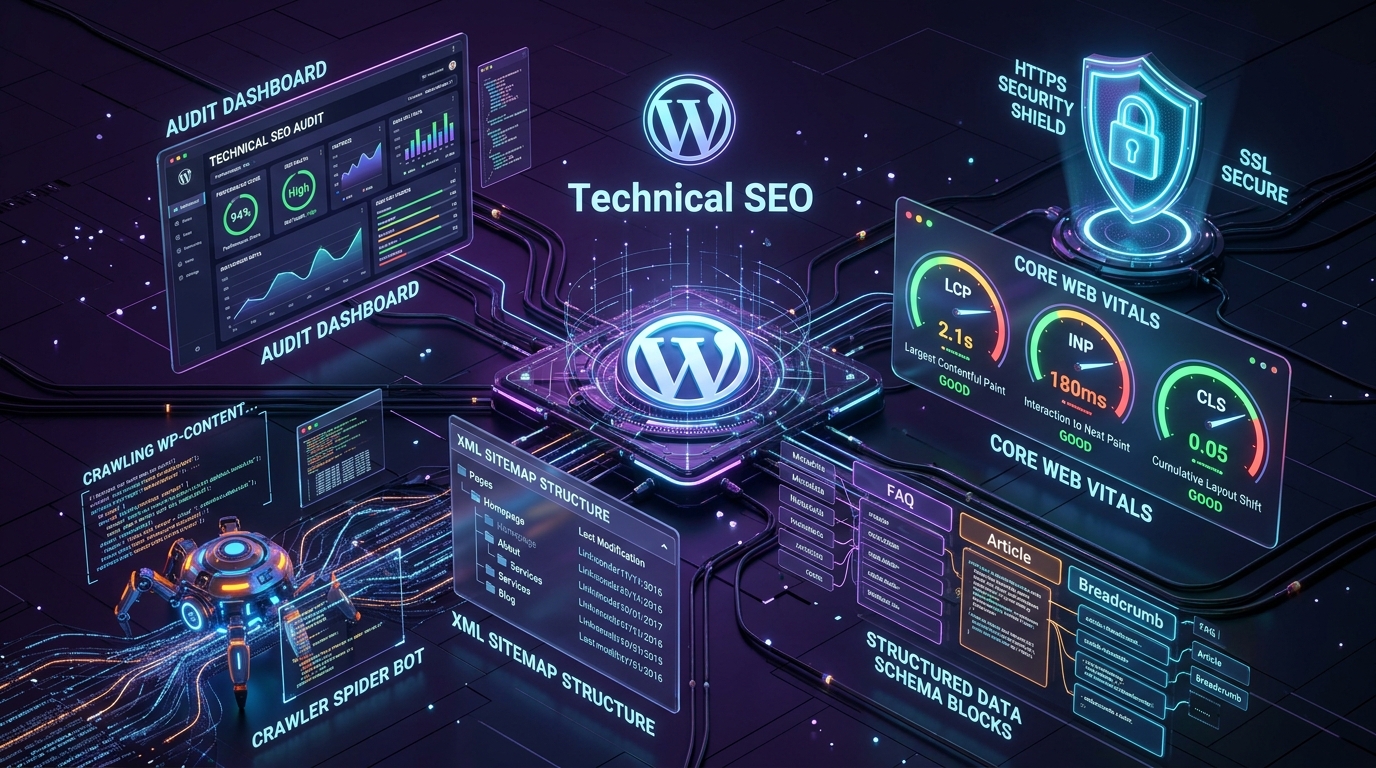
A redesign does not automatically improve rankings. The goal is to improve the website while preserving valuable search visibility and avoiding preventable technical problems. For a deeper breakdown, read our guide on technical SEO fundamentals before launching a redesign.
Create a URL mapping document
If your redesign changes URLs, create a mapping between old and new addresses:
| Existing page | New page | Action |
|---|---|---|
| /old-service/ | /services/new-service/ | Implement a relevant 301 redirect |
| /blog/article-a/ | Same URL | Preserve the URL where possible |
| /outdated-page/ | No direct replacement | Review before removing |
Redirects should lead to genuinely relevant replacement content when one exists. If an old page has no suitable replacement, decide its treatment based on its value and purpose rather than automatically redirecting it elsewhere.
SEO Checklist
- ✓ Export or crawl existing URLs.
- ✓ Record important organic landing pages.
- ✓ Review page titles, descriptions, and headings.
- ✓ Preserve valuable URLs where practical.
- ✓ Create a redirect map for changed URLs.
- ✓ Check canonical tags, sitemaps, and indexing settings.
- ✓ Plan internal links for the new website structure.
7. Plan the New Website Structure
A redesign is an opportunity to improve how information is organized.
Your sitemap should reflect the needs of your audience and the goals of your business. It should not simply mirror your internal departments or the way your team describes its services.
Build a logical sitemap
For a service-based business, the structure might look like this:
- Home
- Services (Web Development, WordPress Development, UI/UX Design, SEO)
- Solutions
- Work or Case Studies
- About
- Insights or Blog
- Contact / Start a Project
Improve internal linking
Related pages should help visitors continue their journey. For example, a blog article about website redesign could link to a web design service page, a technical SEO guide, and a relevant case study.
Structure Checklist
- ✓ Define the main navigation.
- ✓ Group related pages logically.
- ✓ Establish clear page purposes.
- ✓ Plan internal links.
- ✓ Review URL naming conventions.
- ✓ Create breadcrumbs where they help navigation.
8. Improve Mobile Responsiveness and Accessibility
Your redesigned website should work well across different screen sizes and input methods.
A layout that looks impressive on a large desktop monitor may become difficult to use on a phone if the content, navigation, images, or interactive elements do not adapt properly.
Mobile responsiveness checklist
- Navigation is easy to open and use.
- Text remains readable without unnecessary zooming.
- Buttons and interactive elements are comfortable to operate.
- Images scale without causing layout problems.
- Forms are usable on smaller screens.
- Content is not hidden or awkwardly reordered.
- Important information remains easy to find.
- Pages do not require horizontal scrolling for ordinary content.
Accessibility checklist
Accessibility should be considered during design and development, not treated as a final visual check. Review:
- Sufficient text and interface contrast.
- Keyboard navigation and visible focus indicators.
- Properly associated form labels.
- Descriptive alternative text for meaningful images.
- Logical heading hierarchy.
- Clear link and button labels.
- Accessible error messages.
- Captions or transcripts for relevant media.
- Reduced-motion considerations where appropriate.
Mobile & Accessibility Checklist
- ✓ Test common mobile screen sizes.
- ✓ Check navigation and forms on touch devices.
- ✓ Review color contrast and typography.
- ✓ Test keyboard navigation.
- ✓ Check image alternatives and heading structure.
- ✓ Evaluate key journeys with accessibility in mind.
9. Review Performance and Technical Requirements
A website redesign can introduce new images, animations, scripts, plugins, and integrations. Without proper planning, these additions can make the website slower or more difficult to maintain. Performance should be considered from the beginning of the project.
Core Web Vitals Thresholds
Where real-user data is available, evaluate Core Web Vitals at the 75th percentile:
| Metric | What it measures | Target |
|---|---|---|
| Largest Contentful Paint (LCP) | Loading performance of primary content block | ≤ 2.5 seconds |
| Interaction to Next Paint (INP) | Interface responsiveness and interaction delays | ≤ 200 milliseconds |
| Cumulative Layout Shift (CLS) | Visual stability and layout unexpected shifts | ≤ 0.1 |
Performance Checklist
- ✓ Review hosting and technical requirements.
- ✓ Identify unnecessary scripts and plugins.
- ✓ Optimize images and modern web font formats.
- ✓ Test important templates for performance.
- ✓ Check for layout shifts and interaction delays.
- ✓ Plan backups, recovery, and security patches.
10. Plan the Design and Development Process
A successful redesign requires a shared understanding of the work before implementation begins. Define how the project will move from discovery to launch and who is responsible at each stage.
Agree on responsibilities
Before development begins, clarify:
- Who provides the content and images?
- Who approves designs?
- Who manages domain and hosting access?
- Who handles third-party integrations?
- Who tests and approves the final website?
- How are revisions and additional requests handled?
- Who is responsible for launch and post-launch support?
Clear responsibilities help prevent delays caused by missing content, late approvals, and unclear expectations.
Process Checklist
- ✓ Confirm project scope and milestones.
- ✓ Approve the sitemap and page requirements.
- ✓ Define the design review process.
- ✓ Agree on content responsibilities.
- ✓ Document technical requirements.
- ✓ Define testing and acceptance criteria.
- ✓ Establish the launch and support plan.
11. Check Integrations and Essential Functionality
A website redesign can affect more than visible pages. It may also affect the systems that help your business operate.
List all important integrations before development begins, including contact forms, CRM syncs, email marketing, analytics, payment gateways, and booking platforms.
For example, a contact form should not merely display a success message. You should confirm that submissions are delivered to the right destination, errors are handled appropriately, and any connected CRM or email workflow functions as expected.
Integrations Checklist
- ✓ Inventory existing integrations.
- ✓ Confirm account ownership and credentials.
- ✓ Identify integration dependencies.
- ✓ Test successful and failed submissions.
- ✓ Verify analytics and conversion events.
- ✓ Confirm ecommerce and payment workflows where relevant.
12. Prepare a Website Testing Plan
Do not wait until launch day to discover that important features are broken. Testing should begin during development and continue as the website approaches completion.
Key testing dimensions
- Functional testing: Check navigation, forms, buttons, search, menus, account functions, downloads, and checkout.
- Responsive testing: Test key page templates at different viewport sizes and on representative browsers and devices.
- Content testing: Review page titles, headings, spelling, grammar, links, image alternatives, contact info, and placeholder text removal.
- Technical & SEO testing: Verify redirects, canonical tags, HTTP status codes, XML sitemaps, and robots.txt directives.
Testing Checklist
- ✓ Test all primary navigation and calls to action.
- ✓ Submit every important form.
- ✓ Test key mobile and desktop layouts.
- ✓ Check spelling, content, and links.
- ✓ Test redirects and important URL responses.
- ✓ Review page titles and metadata.
- ✓ Verify analytics and conversion tracking.
- ✓ Resolve critical bugs before launch.
13. Protect SEO During the Website Launch
A website launch is a sensitive point in the redesign process because technical and URL changes can affect search engine access. Prepare a launch plan before switching the new website live.
Core safeguards
- Create and verify redirects: When a URL changes, implement an appropriate permanent 301 redirect to avoid redirect chains, loops, and broken links.
- Check indexing settings: Ensure development/staging
noindexdirectives are removed from production pages. - Update sitemap and internal links: Verify the production XML sitemap and update internal links to point directly to final URLs.
- Verify Search Console & Analytics: Submit the updated sitemap to Google Search Console and verify live tracking.
SEO Launch Safeguards Checklist
- ✓ Implement and test required 301 redirects.
- ✓ Verify canonical URLs and indexing directives.
- ✓ Confirm the production XML sitemap.
- ✓ Check important internal links.
- ✓ Verify analytics and conversion tracking.
- ✓ Review Google Search Console after launch.
- ✓ Monitor critical pages and organic performance.
14. Website Launch-Day Checklist
Use this condensed list immediately before the new website goes live.
Final approval
- Stakeholders have approved the website.
- Critical bugs have been resolved.
- Content and contact details are accurate.
- Legal and privacy information is correct.
- Final backups have been taken.
Technical readiness
- Domain and DNS configuration are ready.
- HTTPS is working correctly.
- Forms and integrations have been tested.
- Redirects have been verified.
- Indexing settings are appropriate for production.
- Sitemap and canonical URLs are correct.
- Analytics and conversion tracking are functioning.
After deployment
- Test the homepage and critical landing pages.
- Submit a test enquiry.
- Test key mobile journeys.
- Check important redirects.
- Review server errors and unexpected issues.
- Confirm backup and recovery arrangements.
- Assign responsibility for post-launch monitoring.
Keep the old website backup and a recovery plan available until the new website has been verified in production.
15. Monitor and Improve the Website After Launch
A redesign should not be considered successful simply because the website looks correct on launch day.
The next step is to understand how visitors use the new experience and whether it supports the original business objectives.
Review performance over time
- Organic search traffic and important landing pages.
- Qualified enquiries and conversion rates.
- Ecommerce performance, where relevant.
- Core Web Vitals and real-user performance data.
- Broken links, crawl errors, and indexing issues.
- Form submissions and integration reliability.
- Feedback from customers and internal teams.
Prioritize improvements
You do not need to rebuild the website again every time an issue appears. Instead, maintain an improvement backlog and prioritize changes according to their impact, urgency, effort, and evidence. A website should evolve as your business, audience, and technology change.
Frequently Asked Questions
How often should a business redesign its website?
There is no fixed schedule that applies to every business. A redesign may be appropriate when the website no longer supports business goals, has significant usability or technical limitations, or cannot accommodate important new requirements. Smaller improvements can often address problems without requiring a complete rebuild.
How much does a website redesign cost?
The cost depends on the number of pages, design complexity, content needs, integrations, custom functionality, ecommerce requirements, and migration work. Request a scoped proposal that separates the initial project cost from ongoing hosting, maintenance, licensing, and support.
How long does a website redesign take?
Timelines vary with the scope of the project, content readiness, approval process, and technical complexity. A straightforward website generally requires less planning and development than a large ecommerce platform or website with complex integrations. Ask for a realistic timeline with milestones and testing included.
Will a website redesign affect SEO?
It can. Changes to URLs, content, internal links, metadata, page structure, and indexing configuration may affect search visibility. Preserve valuable content and URLs where practical, implement appropriate redirects, and monitor search performance after launch.
Should I keep the same URLs during a redesign?
Preserve existing URLs when they remain suitable and relevant. If a URL must change, map the old address to an appropriate replacement and implement a redirect where justified. Avoid changing URLs simply to make them look different.
Should I redesign my website or build a new one?
A redesign may be enough when the existing platform and technical foundation are suitable. A rebuild may be appropriate when the architecture, functionality, or maintenance limitations prevent the business from meeting its requirements. An audit can help determine which approach is more practical.
What should I do with my existing blog posts?
Review their usefulness, accuracy, search performance, backlinks, and relevance to your business. Keep valuable content where possible, improve articles that need updating, and consolidate overlapping content when there is a clear reason. Avoid deleting useful posts without considering their value.
How can I tell whether my redesigned website is successful?
Evaluate it against the goals defined before the project. Depending on your business, that may include qualified enquiries, conversion rates, ecommerce performance, usability, organic search performance, accessibility, or easier content management. Compare against a baseline and interpret the results in context.
Final Thoughts
A successful website redesign starts long before the visual design is complete.
It begins with understanding your business goals, auditing the existing website, learning how visitors behave, reviewing content, and identifying the technical and user experience problems that need to be solved.
From there, a structured process helps you plan the new experience, protect valuable SEO assets, test important functionality, and launch with fewer avoidable issues.
At WP Bunch, we believe that effective websites bring design, development, and digital growth together. A thoughtful redesign should not just change how your website looks—it should make it more useful for your audience and better aligned with your business.
Planning a Website Redesign?
Explore our Web Design, Web Development, and SEO services to learn how we turn strategy into high-performing, high-converting digital experiences.