
Choosing an ecommerce platform is one of the first major decisions you will make when launching a new online store, scaling an existing retail brand, or replatforming an outdated website.
The platform you select influences far more than your website’s appearance. It dictates how customers browse your catalogue, which regional payment gateways and logistics carriers you can integrate, how much ongoing server maintenance is required, and how flexibly your business can adapt as order volumes surge.
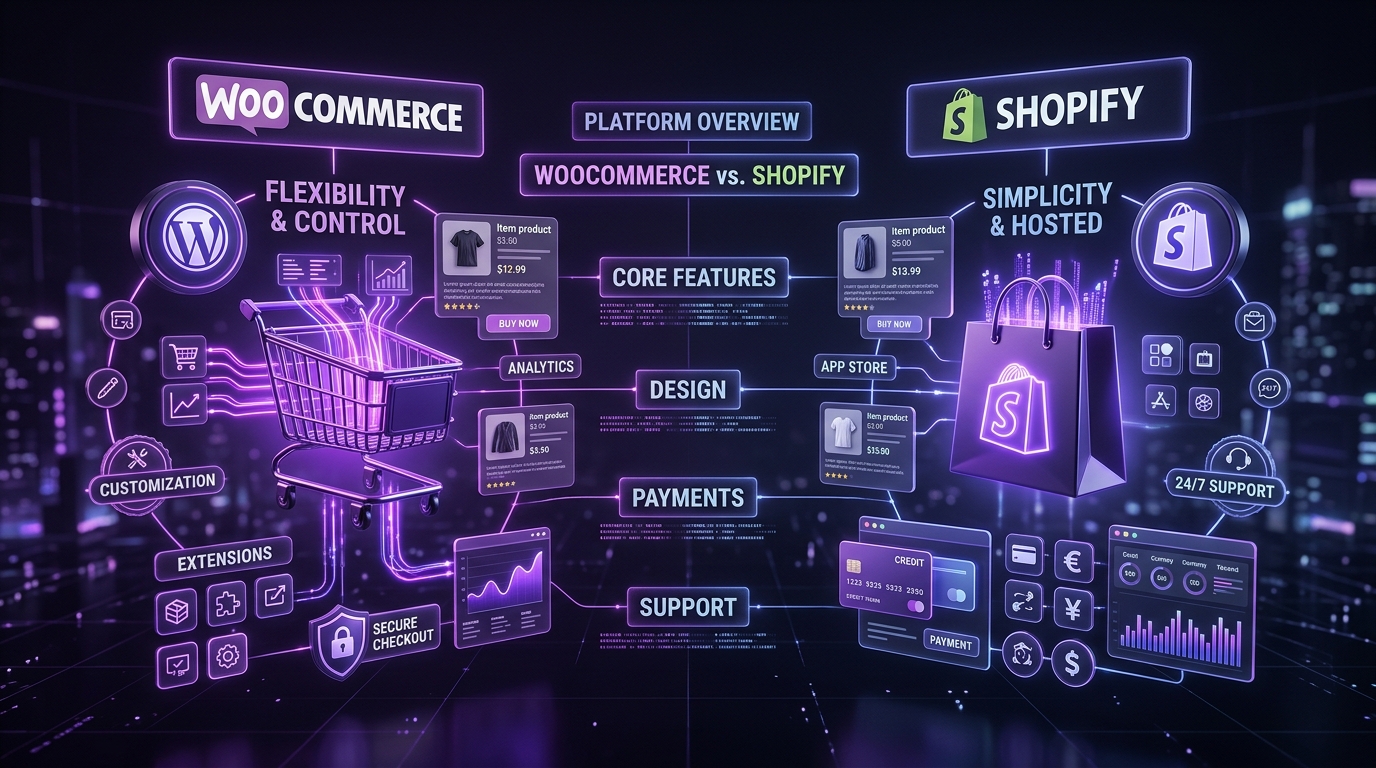
Two market leaders dominate the conversation: WooCommerce and Shopify. Both power millions of successful online merchants, yet they approach ecommerce architecture from fundamentally opposing philosophies.
WooCommerce is an open-source commerce engine built on top of WordPress that gives brands complete sovereignty over their data, code, and hosting environment. Shopify is a fully hosted, proprietary Software-as-a-Service (SaaS) platform that bundles store hosting, payment infrastructure, and core commerce tools into a turnkey monthly subscription.
So, which is truly better for your company? The answer depends on your commercial model, technical bandwidth, budgetary horizon, custom integration requirements, and how much operational control you wish to retain.
In this in-depth guide, we compare WooCommerce vs Shopify across daily store management, design flexibility, total cost of ownership (TCO), SEO capabilities, security, performance scalability, and payment gateways to help you make an objective, future-proof choice.
Choose Shopify if you want a turnkey, low-maintenance setup where infrastructure management is outsourced in exchange for recurring platform fees and architectural boundaries. Choose WooCommerce if your business demands total data ownership, bespoke checkout workflows, deep content marketing integration, zero artificial platform transaction fees, and complete control over your technical stack.
1. What Is WooCommerce?
WooCommerce is a free, open-source ecommerce plugin engineered natively for WordPress—the Content Management System (CMS) that powers over 43% of the internet. It transforms any WordPress website into a full-featured digital storefront, allowing merchants to sell physical merchandise, digital downloads, recurring subscriptions, and appointment bookings.
Because WooCommerce operates directly within the WordPress ecosystem, it provides unmatched synergy for businesses where authoritative content marketing, editorial storytelling, and product merchandising live side-by-side.
Key Advantages of WooCommerce
- Unconstrained Customization: Every template, database query, product card, and checkout step can be tailored to match your precise brand identity and business logic.
- Full Server & Data Sovereignty: You select your hosting provider (e.g., Kinsta, Cloudways, AWS, or local high-performance VPS). You own 100% of your customer records, transaction histories, and code.
- Seamless Content Integration: Leverage WordPress’s world-class block editor (Gutenberg) to seamlessly embed products within editorial articles, buyer guides, and case studies.
- Vast Extension Ecosystem: Access tens of thousands of free and commercial plugins for subscriptions, multi-currency pricing, wholesale B2B portals, and ERP integrations.
- No Forced Transaction Surcharges: Unlike Shopify, WooCommerce never penalizes you with additional percentage cuts on orders when you use third-party payment gateways like Stripe, PayPal, Razorpay, or PayU.
What Should You Consider?
Flexibility requires responsibility. With WooCommerce, you or your agency partner must manage server provisioning, caching optimization, WordPress core and plugin updates, database indexing, and backup protocols. WooCommerce is not inherently expensive, but poor implementation or neglected maintenance can result in slow page loads or software conflicts. For guidance on partnering with experienced developers, see our guide on choosing the right WordPress development company.
2. What Is Shopify?
Shopify is a dedicated, closed-source Software-as-a-Service (SaaS) ecommerce platform founded in 2006. It provides a cloud-hosted infrastructure where hosting, security certificates, software patches, and checkout processing are managed entirely by Shopify’s internal engineering team.
Shopify is engineered specifically to eliminate server management friction for merchants who want to launch quickly with minimal technical overhead.
Key Advantages of Shopify
- Fully Managed Hosting: Zero server configuration, patch installations, or database tuning required on your end. Shopify handles PCI compliance and traffic spikes automatically.
- Unified Store Administration: Clean, centralized dashboard for managing inventory, orders, customer profiles, discount codes, and analytics.
- Curated App Store: Thousands of third-party apps available to add customer reviews, upsells, loyalty programs, and shipping labels with one-click installation.
- Standardized Checkout Flow: Shopify’s battle-tested checkout is fast, recognizable, and optimized for high-volume conversion out of the box.
- 24/7 Dedicated Platform Support: Access to customer service via chat and ticket support for platform-related issues.
What Should You Consider?
While Shopify minimizes hosting headaches, it operates inside a “walled garden.” You must adhere to rigid URL structures (such as mandatory /products/ and /collections/ subdirectories), accept recurring monthly subscription tiers, and pay additional app subscription fees for features that are free in the WordPress ecosystem. Most importantly, if you choose not to use Shopify Payments, Shopify charges an additional 0.5% to 2.0% transaction fee on every single sale.
3. WooCommerce vs Shopify: Quick Comparison
The table below provides a side-by-side breakdown of the structural, financial, and operational differences between both platforms:
| Evaluation Factor | WooCommerce (WordPress) | Shopify (Hosted SaaS) |
|---|---|---|
| Platform Architecture | Self-hosted open-source plugin built on WordPress | Proprietary cloud-hosted SaaS platform |
| Hosting Infrastructure | Chosen by merchant (Cloudways, Kinsta, WP Engine, AWS) | Managed entirely by Shopify (included in monthly fee) |
| Initial Store Setup | Requires WordPress setup, theme styling, and plugin configuration | Guided onboarding wizard; store live within hours |
| Customization Freedom | 100% unrestricted. Full access to PHP, templates, database, and APIs | Governed by Liquid templating and Shopify API boundaries |
| Content & Blogging | Industry-leading CMS with Gutenberg blocks and full SEO controls | Basic built-in blogging system with limited formatting flexibility |
| Maintenance Responsibility | Merchant manages core, theme, and plugin updates and backups | Shopify manages server patches; merchant updates apps/theme |
| Transaction Surcharges | 0% extra (pay only payment processor rate, e.g., Stripe 2.9%) | 0.5% – 2.0% extra unless using Shopify Payments |
| Search Engine Optimization (SEO) | Granular control over schema, URL slugs, sitemaps, and robots.txt | Built-in SEO tools; rigid URL prefixes (/collections/, /products/) |
| Ecosystem & Add-ons | 60,000+ WordPress plugins; massive open-source library | 8,000+ Shopify apps (predominantly recurring subscriptions) |
| Best Suited For | Brands valuing data ownership, content SEO, and bespoke workflows | Merchants seeking rapid launch with zero server maintenance |
4. Ease of Use and Store Management
An ecommerce platform must empower your merchandising team to add products, adjust pricing, process refunds, and monitor inventory quickly without requiring developer intervention every time.
WooCommerce: Flexible, with More Setup Responsibility
WooCommerce lives inside the WordPress administration dashboard. If your staff is already familiar with publishing blog posts or editing pages in WordPress, the learning curve is nearly flat. Adding simple, variable, or downloadable products is straightforward, with dedicated tabs for SKU tracking, shipping dimensions, cross-sells, and inventory thresholds.
However, because WooCommerce relies on modular plugins for specialized functionality (such as PDF packing slips or advanced shipping rules), an uncurated installation can result in a fragmented admin menu. Partnering with a skilled development team to customize and streamline the dashboard ensures an effortless administrative experience.
Shopify: A More Managed Store Experience
Shopify is purpose-built for retail operations from the ground up. Its backend is modern, intuitive, and uncluttered. Onboarding wizards walk newcomers through adding products, setting up shipping zones, and connecting domain names.
The trade-off is rigidity: you must work within Shopify’s predefined product hierarchy. If you require complex custom fields, multi-tiered wholesale pricing, or atypical inventory relationships, you will need to install third-party apps or write custom Liquid code.
Which Is Easier to Use?
For complete beginners without technical support, Shopify provides the smoother day-one experience. For teams already invested in WordPress, WooCommerce offers equal usability with vastly greater flexibility to adapt the admin UI to custom business workflows.
5. Design and Customization
Your storefront design directly influences buyer trust, brand perception, and checkout conversion rates. Both platforms support stunning visual styling, but their architectural limits are very different.
WooCommerce Design Flexibility
Because WooCommerce is completely open-source, there are literally zero design boundaries. You have direct access to every template file, CSS stylesheet, JavaScript bundle, and database table. Custom development allows you to craft:
- Bespoke product configurators and 3D visualizers.
- Friction-free, single-page slide-out cart drawers and multi-step checkouts.
- Tailored category discovery with instant AJAX facet filtering.
- Modular design systems that seamlessly unify ecommerce product pages with company marketing resources.
- Headless architectures pairing WordPress as a backend CMS with Next.js or Astro frontends (learn more in our guide on headless WordPress for scaling businesses).
Shopify Design Flexibility
Shopify provides an official Theme Store featuring clean, modern, mobile-responsive themes built with Shopify’s Liquid templating engine. The drag-and-drop Theme Editor makes it easy to adjust colors, fonts, hero sections, and product sliders without coding.
However, deep structural customization—particularly around the checkout funnel—is strictly restricted on standard Shopify plans. To customize the checkout code directly, merchants are forced to upgrade to **Shopify Plus**, which starts at **$2,000+ per month**.
Which Platform Is Better for Custom Design?
If your vision requires a standard, clean ecommerce layout, Shopify’s themes deliver great results quickly. If you want a distinctive, tailored digital brand identity with bespoke user journeys, WooCommerce provides total creative and technical liberation.
6. WooCommerce vs Shopify Pricing: What Does Each Really Cost?
Evaluating pricing solely by looking at advertised starting costs is a common mistake. A platform that appears cheap upfront can quickly become expensive over a 3-year operating period.
WooCommerce Costs
The WooCommerce core plugin and WordPress are 100% free. The operational costs consist of:
- Hosting: $15 – $100+/month for managed WordPress hosting (Cloudways, Kinsta) depending on traffic.
- Domain Name: $12 – $20/year.
- Premium Plugins (Optional): $0 – $300/year for specialized extensions (e.g., WooCommerce Subscriptions, advanced table-rate shipping). Most plugins are one-time or annual flat fees.
- Payment Processing: Standard gateway fees (e.g., 2.9% + 30¢ per transaction). Zero platform surcharges.
- Maintenance & Support: Managed agency retainer or in-house developer oversight.
Shopify Costs
Shopify operates on a recurring SaaS model with multiple compounding cost layers:
- Subscription Plans: Basic ($39/mo), Shopify ($105/mo), Advanced ($399/mo), or Shopify Plus ($2,000+/mo) billed monthly.
- Paid Theme: $180 – $380 one-time fee from the Shopify Theme Store.
- App Subscriptions: Essential functionality—such as product reviews, email capture, cross-sells, wholesale pricing, and advanced shipping rules—frequently requires monthly recurring app fees ($50 – $300+/month).
- Payment Processing: If you use Shopify Payments, standard processing rates apply. If you use an external payment gateway (Razorpay, PayPal, Stripe, Authorize.net), Shopify adds a **0.5% to 2.0% platform penalty fee** on top of your gateway charges.
Compare the Total Cost of Ownership (TCO)
Use this structured framework to calculate the real 3-year Total Cost of Ownership:
| Expense Category | WooCommerce (WordPress) | Shopify (Hosted SaaS) |
|---|---|---|
| Initial Build & Setup | Higher upfront design & development investment | Lower initial setup cost for standard theme setups |
| Platform Subscriptions | $0/month core software fee | $39 to $399+/month recurring |
| Add-on Features & Apps | Flat annual licenses ($49–$199/yr) or free open-source plugins | Compounding monthly app subscriptions ($50–$400/mo) |
| Transaction Fees | Only standard payment gateway fee (0% platform tax) | 0.5%–2% platform penalty unless using Shopify Payments |
| Hosting Infrastructure | $25–$120/mo scalable cloud hosting based on real usage | Included in core subscription tier |
| Long-Term Scalability Cost | Predictable costs that scale with server resources, not revenue | Climbs sharply with revenue and required plan upgrades |
Total Cost of Ownership Formula:
TCO = Initial Design & Setup + (Hosting / Subscriptions × Months) + (Third-Party Apps × Months) + Gateway & Platform Fees + Ongoing Maintenance.
A Real-World Cost Example
Consider an online retailer generating $600,000 in annual online sales using an external payment gateway:
- On the Shopify plan ($105/mo = $1,260/yr) with standard 1.0% third-party transaction fees: The merchant pays $6,000/year just in Shopify penalty fees, plus $1,260 in plan fees, plus ~$1,800/yr in app subscriptions = $9,060/year (excluding gateway processing).
- On WooCommerce: The merchant pays $600/yr in managed cloud hosting, $400/yr in premium plugin renewals, and $0 in platform transaction fees = $1,000/year.
Over three years, the $24,000+ saved in platform surcharges more than pays for the custom design and professional development of a world-class WooCommerce store.
7. Ecommerce Features and Integrations
Both platforms handle fundamental commerce operations: product catalogs, variants, customer accounts, and order notifications. The difference lies in how edge cases and advanced workflows are supported.
Product Management
Both platforms support variable products (sizes, colors, materials) and bulk CSV imports. However, Shopify enforces a strict limit of 3 options and 100 variants per product on standard stores. If you sell custom apparel with 5 size options, 10 colors, and 3 fabric choices (150 variants), Shopify requires third-party paid apps or complex workaround scripts. WooCommerce imposes zero variant caps.
Payment Processing
WooCommerce supports virtually every global and regional payment gateway, including Stripe, PayPal, Square, Authorize.Net, Razorpay, Cashfree, PayU, Mollie, and crypto processors. You maintain direct merchant accounts with the processor of your choice. Shopify Payments is convenient, but unavailable in many countries—forcing international merchants into the external gateway fee penalty.
Shipping and Fulfillment
Both platforms integrate with USPS, UPS, FedEx, DHL, ShipStation, and regional delivery carriers. Shopify offers integrated shipping label printing in supported countries. WooCommerce excels at custom shipping logic: table-rate shipping based on cart weight, distance-based courier delivery, local store pickup thresholds, and split-order fulfillment across multiple warehouses.
Third-Party Integrations
Connecting to CRM platforms (HubSpot, Salesforce), email marketing tools (Klaviyo, Mailchimp), accounting software (QuickBooks, Xero), and warehouse inventory systems is possible on both platforms. With WooCommerce, you can write custom REST API endpoints and webhooks to synchronize with proprietary internal ERPs without API rate-limit throttling.
8. SEO and Content Marketing
Organic search is the highest-ROI acquisition channel for ecommerce brands. If customers cannot find your category pages when searching for solutions, your paid ad spend will eat through your margins.
WooCommerce SEO: Absolute Control
Operating on WordPress gives WooCommerce an innate architectural advantage for SEO:
- Full URL Slug Freedom: Structure your URLs however you want (e.g.,
yourstore.com/boots/mens-leather/) without forced folder prefixes. - Advanced Schema Markup: Generate rich product snippets (Product, Offer, Review, AggregateRating, InStock) automatically using plugins like Rank Math or custom JSON-LD hooks.
- Editorial Synergy: Publish long-form buying guides, comparison roundups, and educational pillar pages that rank for high-intent keywords and funnel organic readers into product purchases.
- Granular Technical SEO: Complete control over
robots.txt, XML sitemaps, canonical tags, 301 redirect maps, and server-side caching. Learn more about foundational audits in our website redesign checklist.
Shopify SEO: Solid but Constrained
Shopify covers basic SEO well out of the box: customizable title tags, meta descriptions, alt text, and automatic sitemap generation.
However, experienced SEO professionals frequently encounter frustrating platform restrictions:
- Mandatory URL Hierarchies: Shopify forces all products into
/products/item-nameand collections into/collections/collection-name, which cannot be modified. - Duplicate Content from Collection URLs: Shopify often generates product URLs nested under collections (e.g.,
/collections/shoes/products/sneaker), creating duplicate content issues that must rely on canonical tag band-aids. - Restricted robots.txt & Sitemap Editing: While Shopify recently added limited liquid customization for robots.txt, deep structural indexation adjustments remain restricted.
Which Platform Is Better for SEO?
For stores whose business model relies heavily on organic content marketing, editorial search traffic, and technical search customization, WooCommerce is undeniably superior. Shopify is adequate for stores primarily driven by paid social advertising, influencer marketing, or standard catalog search.
9. Security and Maintenance
Because ecommerce websites handle sensitive customer data, home addresses, and credit card credentials, security integrity is paramount.
WooCommerce Security and Maintenance
WooCommerce stores are as secure as the hosting environment and maintenance protocols supporting them. Security responsibilities include:
- Ensuring managed cloud hosting includes automated daily backups, web application firewalls (WAF), and DDoS protection (e.g., Cloudflare Enterprise).
- Conducting routine staging updates for WordPress core, WooCommerce, and active plugins.
- Enforcing strong admin passwords, two-factor authentication (2FA), and least-privilege user roles.
- Routing all payments through PCI-DSS Level 1 compliant gateway iframes (Stripe, PayPal) so credit card numbers never touch your server.
When supported by a professional agency maintenance plan, WooCommerce stores achieve exceptional security records.
Shopify Security and Maintenance
Shopify handles all server-level security, SSL certificate renewal, and PCI compliance centrally. Store owners never need to patch an Apache server, update PHP versions, or configure a firewall.
However, merchants still bear operational responsibility for securing staff accounts with 2FA, vetting third-party app permissions, and auditing code changes introduced by external contractors.
10. Scalability and Business Growth
True scalability is not merely about surviving a Black Friday spike. It involves handling large product catalogs, complex data relationships, multi-region operations, and high concurrent checkout volumes.
Growing with WooCommerce
WooCommerce powers stores processing millions of dollars in monthly revenue. Because you control the infrastructure, scaling is accomplished through modern engineering best practices:
- High-performance Object Caching with Redis.
- Elasticsearch / Algolia integration for sub-second search across 100,000+ SKUs.
- Database table decoupling via WooCommerce High-Performance Order Storage (HPOS).
- Dedicated database read replicas and containerized autoscaling clusters.
Growing with Shopify
Shopify handles massive simultaneous traffic spikes effortlessly because its infrastructure is built on globally distributed cloud clusters. For rapid flash sales driven by influencer drops, Shopify provides unmatched peace of mind without requiring DevOps intervention.
However, enterprise scaling on Shopify requires migrating to Shopify Plus ($2,000 to $40,000/month), which may impose substantial overhead on growing medium-sized retailers.
11. Payment Gateways and Shipping: What Should You Check?
Before committing to any platform, evaluate how your target customers actually pay and receive products in their local region.
Payment Gateway Evaluation Checklist
- Is your preferred gateway natively supported in your business jurisdiction?
- Does the platform impose an artificial transaction fee penalty on third-party gateways?
- Can you process local payment methods (UPI in India, iDEAL in Netherlands, Klarna/Afterpay in Europe/US)?
- Does the checkout support one-click digital wallets (Apple Pay, Google Pay)?
- Can the gateway handle recurring tokenized billing for subscriptions?
Shipping and Logistics Checklist
- Can you configure localized shipping zones with tiered pricing?
- Does the system calculate automated real-time carrier rates based on box dimensions and weight?
- Can you print shipping labels and return slips directly from the order panel?
- Does the platform provide automated delivery tracking updates via email and WhatsApp?
12. Which Platform Is Better for Different Businesses?
Choose WooCommerce If…
- Your website is already established on WordPress.
- Content marketing, blogging, and organic SEO are primary growth levers.
- You sell custom, configurable, or wholesale B2B merchandise.
- You want 100% data sovereignty and zero platform transaction surcharges.
- You operate in countries where Shopify Payments is unavailable.
- You have access to a dedicated WordPress development agency.
Choose Shopify If…
- You want an all-in-one hosted solution with zero server configuration.
- Your catalog consists of standard retail products with under 100 variants.
- You rely primarily on paid ads (Meta, TikTok, Google Shopping) rather than SEO.
- You have no in-house technical staff and prefer central 24/7 support.
- Shopify Payments is supported in your primary operating country.
- You need to launch a functional store within days.
13. How to Choose the Right Ecommerce Platform
To make an objective decision for your company, run both platforms through this 7-step evaluation framework:
- Map Out Required Features: Distinguish between day-one essentials (payment gateways, tax rules, courier integrations) and future enhancements (loyalty tiers, internationalization).
- Audit Your Technical Resources: Determine whether you will manage updates in-house, retain a dedicated WordPress partner, or outsource maintenance to a SaaS provider.
- Model 3-Year Total Cost of Ownership: Calculate realistic costs incorporating monthly app subscriptions and external gateway transaction fees at projected sales volumes.
- Test Real Workflows: Request a demo or staging environment to test product addition, coupon creation, and order fulfillment.
- Evaluate Buyer UX: Test the mobile shopping journey, faceted filtering speed, and checkout friction.
- Plan for Data Migration: If migrating from another platform, audit your product data, order history, and 301 URL redirect requirements.
- Grade Both Options with an Objective Scorecard: Use the rubric below during executive decision meetings.
| Evaluation Dimension | Key Consideration | Platform Edge |
|---|---|---|
| Ease of Store Setup | Speed from kickoff to first sale with minimal coding | Shopify |
| Design & Architecture Freedom | Bespoke checkout, customized product funnels, no template locks | WooCommerce |
| Transaction Economics | 0% platform surcharges on external payment gateways | WooCommerce |
| Organic Content & SEO | Deep content marketing, clean URL slugs, structured schema | WooCommerce |
| Hosting & Server Maintenance | Zero server management, automated cloud patching | Shopify |
| Flash Sale Spikes | High concurrent checkouts without DevOps configuration | Shopify |
| Data Sovereignty & Control | Direct access to database, raw SQL, customer records, and code | WooCommerce |
Frequently Asked Questions
Is WooCommerce better than Shopify?
Neither platform is universally superior. WooCommerce is the better choice for businesses that want complete technical control, unrestricted customization, integrated content SEO, and zero platform transaction taxes. Shopify is superior for merchants seeking a turnkey, hosted ecommerce platform that eliminates server maintenance.
Is WooCommerce cheaper than Shopify?
Over a 2 to 3-year timeline, WooCommerce is almost always more cost-effective for growing stores. While Shopify has a lower day-one cost, its compounding monthly app subscriptions and 0.5%–2.0% third-party transaction fees quickly exceed the cost of managed WordPress hosting and flat-rate plugin licenses.
Which platform is easier for complete beginners?
Shopify is easier for beginners who have no technical experience, as hosting, security, and setup wizards are fully automated. However, WooCommerce is very intuitive for anyone who already knows how to use WordPress.
Which platform is better for SEO?
WooCommerce has a clear advantage for SEO. It gives you complete control over your URL slug structures, sitemaps, robots.txt, and product schema markup without forced directory prefixes (like Shopify’s mandatory /products/ and /collections/). Furthermore, WordPress’s world-class blogging engine makes content marketing effortless.
Can I migrate from Shopify to WooCommerce?
Yes. Product catalogs, customer databases, past orders, and image assets can be migrated seamlessly using automated tools (such as Cart2Cart or WP All Import) or custom database migration scripts. Crucially, 301 redirects must be configured to preserve your existing search rankings.
Can I migrate from WooCommerce to Shopify?
Yes. Shopify provides the Matrixify app and Store Importer tools to import products, customer records, and orders from WooCommerce. Note that specialized custom features, product configurators, and complex pricing rules may need to be rebuilt using Shopify apps.
Can WooCommerce handle high-volume enterprise stores?
Absolutely. When paired with high-performance managed hosting (Redis caching, HPOS database indexing, CDN delivery, and Elasticsearch), WooCommerce easily supports catalogs with hundreds of thousands of products and millions of dollars in annual transaction volume.
Does Shopify handle all hosting and security?
Yes. Shopify manages server hardware, operating system patches, network firewalls, SSL certificates, and PCI-DSS compliance. Merchants remain responsible for account-level security (passwords, 2FA) and vetting third-party apps.
Can I use WordPress for my website and Shopify for checkout?
Yes, via the Shopify Buy Button or headless integrations. However, maintaining two separate software ecosystems increases subscription overhead and maintenance complexity. In most cases, running native WooCommerce on WordPress or a full Shopify storefront is more efficient.
Final Thoughts
Selecting an ecommerce platform is not about choosing the system with the loudest marketing—it is about picking the right strategic foundation for your business model.
Shopify provides convenience, rapid deployment, and outsourced server administration for brands prioritizing speed and simplicity. WooCommerce provides sovereignty, boundless design innovation, superior SEO capabilities, and long-term cost efficiency for brands that refuse to compromise on data ownership and customer experience.
At WP Bunch, we architect high-converting, high-performance digital commerce engines. Whether you are building a custom WooCommerce platform from scratch, optimizing an existing store for conversions, or planning a complex store migration, our team unites strategy, bespoke design, and clean engineering.
Ready to Build or Scale Your Ecommerce Store?
Explore our dedicated Ecommerce Development and WordPress Development services to discover how we architect high-converting, scalable online shopping experiences.