
When planning a new website, many businesses begin by thinking about colors, fonts, images, and layouts. These elements matter, but a successful website requires much more than an attractive appearance.
Visitors need to quickly understand what your business offers, find relevant information, navigate smoothly between pages, and complete actions without unnecessary confusion or friction. The way a website looks and the way it functions both fundamentally shape that experience.
This is where UI and UX design come in.
UI (User Interface) design focuses on the visual and interactive elements people use, while UX (User Experience) design considers the broader holistic experience of interacting with a website or digital product. Together, they empower businesses to build digital platforms that are clear, accessible, aesthetically consistent, and strictly aligned with commercial goals.
In this practical guide, we explain what UI/UX design means, unpack the exact differences between UI and UX, explore how the end-to-end design process works, and highlight key considerations businesses must evaluate before investing in a website design or redesign project.
A visually stunning website that is difficult to navigate will fail to convert visitors, while a highly intuitive website with outdated visuals risks looking untrustworthy. UI and UX are two sides of the same coin: UX creates the strategic foundation and purpose-driven flow, while UI brings that journey to life through visual clarity, brand identity, and intuitive feedback.
1. What Is UI/UX Design?
UI/UX design is the disciplined process of planning how people interact with a digital product and designing the exact interface through which that interaction takes place.
Although UI and UX are deeply interconnected and frequently practiced together, they solve distinct problems along the customer journey.
What Is UI Design?
UI stands for User Interface. It refers to the visual and interactive touchpoints that people see, touch, and engage with when navigating a website, web application, or mobile app.
Professional UI design encompasses:
- Typography, color palettes, and visual hierarchy: Selecting legible type scales and high-contrast color systems that guide the eye naturally.
- Buttons, forms, menus, and navigation: Crafting interactive controls that clearly signal their function and state.
- Page layouts, whitespace, and grid systems: Establishing consistent spacing so content feels balanced rather than cramped.
- Icons, illustrations, and brand photography: Curating visual assets that reinforce trust and message clarity.
- Interactive states: Designing intentional states for hover, focus, active, loading, disabled, and form error validation.
- Responsive layouts: Adapting components smoothly across mobile phones, tablets, laptops, and ultra-wide screens.
- Design systems and component libraries: Creating reusable, modular UI kits that keep brand presence coherent across every page.
For example: On an ecommerce website, UI design determines how product cards appear in the grid, how pricing discounts and badges are highlighted, how category filter dropdowns open, and how the Add to Cart button communicates whether an item is in stock, currently being added, or successfully placed into the basket.
Good UI design makes an interface visually harmonious, effortless to read, and immediately recognizable.
What Is UX Design?
UX stands for User Experience. It encompasses the overall journey, perception, and emotional response a person has while interacting with your company across digital touchpoints.
UX design encompasses:
- Audience research and persona development: Uncovering real user pain points, expectations, and motivations.
- Information architecture (IA): Structuring site menus, content categorization, and logical page hierarchies.
- User journey mapping: Charting the sequential paths users take from first landing on the site to achieving their goal.
- Interaction planning and wireframing: Sketching structural layouts that prioritize vital information and calls to action.
- Usability testing: Observing real users navigating prototypes to spot confusion, bottlenecks, or abandoned steps.
- Continuous improvement: Iterating layouts and funnels based on quantitative analytics and qualitative feedback.
For example: UX design analyzes how prospective buyers discover a product, compare specifications against alternatives, calculate shipping costs, and navigate through checkout. Even if the checkout form features gorgeous typography, the UX is fundamentally flawed if shipping fees are hidden until the final step or if users are forced through a mandatory 5-step registration process.
Why Do UI and UX Work Together?
UX defines what needs to be solved, why it matters, and how people move through the journey. UI translates that architectural blueprint into an engaging, accessible, and branded visual interface.
Neither discipline can compensate for the absence of the other. An aesthetically flawless website with confusing navigation frustrates visitors, while a logically organized website with outdated typography and low contrast diminishes credibility. When UI and UX operate in unison, your website feels intuitive, elegant, and commercially compelling.
2. What Is the Difference Between UI and UX?
A classic analogy to understand this distinction is the dining experience at a restaurant:
The Restaurant Analogy:
UX is the complete dining experience: easily reserving a table online, the welcoming atmosphere, the attentiveness of the staff, how smoothly courses arrive, and the promptness of the bill.UI is the tactile and visual interface used during that journey: the typography and paper quality of the physical menu, the clear organization of dish prices, the lighting over the table, or the digital ordering tablet on which you submit your order.
The exact same dynamic applies to your website. Here is a direct side-by-side comparison:
| Area | UX Design (User Experience) | UI Design (User Interface) |
|---|---|---|
| Main Focus | Overall journey, user satisfaction, and friction-free flow | Visual aesthetics, component design, and interactive feedback |
| Core Question | “Can visitors accomplish their goals quickly and intuitively?” | “Is the interface clear, visually consistent, and delightful to touch?” |
| Typical Activities | User research, competitor benchmarking, journey mapping, usability testing | Color palettes, typographic hierarchy, responsive layouts, micro-interactions |
| Key Deliverables | User personas, sitemaps, user flows, low-fidelity wireframes | High-fidelity mockups, design systems, interactive prototypes, icon sets |
| Success Indicators | High task completion, low bounce rates, reduced checkout abandonment | Visual polish, brand recognition, WCAG accessibility, clear interaction cues |
In modern digital agencies, these responsibilities overlap significantly. Great UI designers understand usability and cognitive load, while experienced UX strategists respect visual hierarchy and interaction conventions. For business owners, the priority is ensuring both disciplines are represented so your site delivers real business value.
3. Why Does UI/UX Design Matter for Businesses?
Your website is frequently the first substantial interaction a prospective customer has with your company. If visitors struggle to understand your value proposition, find case studies, or complete an enquiry form, they will leave for a competitor within seconds.
Investing in rigorous UI/UX design directly impacts the bottom line across six core dimensions:
It Makes Information Easier to Understand
Visitors do not read websites word-for-word; they scan. Clear typographic hierarchies, concise supporting copy, scannable subheadings, and descriptive navigation menus allow decision-makers to grasp what you do within 5 seconds. A high-converting service page should never force prospective clients to sift through walls of generic jargon to discover what you offer or how to get in touch.
It Supports Conversion Journeys
Whether your conversion goal is booking a consultation, requesting an estimate, subscribing to a software trial, or purchasing a product, UX design identifies every step required and eliminates roadblocks. UI design enhances that journey by crafting prominent call-to-action buttons, friction-free forms, and immediate validation feedback. While design alone cannot guarantee a specific conversion rate, it removes avoidable barriers between visitor interest and committed action.
It Creates Consistency Across the Website
Inconsistent buttons, differing font sizes, and shifting layouts confuse users and signal a lack of professionalism. A cohesive design system standardizes buttons, input cards, modals, and spacing across the entire site. Furthermore, reusable component architectures make it effortless for your internal team to publish new landing pages without redesigning screens from scratch.
It Improves Mobile Usability
Over 60% of web traffic originates on mobile devices. Simply shrinking a desktop layout into a narrow column does not create a mobile-optimized experience. UI/UX design adapts navigation for thumb zones, simplifies complex data tables into swipeable cards, ensures tap targets exceed 44px, and tailors forms for mobile keyboards.
It Can Reduce Development Rework
Writing code is the most expensive phase of any website build. Redesigning features directly in code often results in delays, scope creep, and ballooning budgets. Validating user journeys and layouts in Figma prototypes allows stakeholders to iterate rapidly before a single line of WordPress or React code is written. For deeper guidance on planning your architecture, review our Website Redesign Checklist.
It Supports Accessibility (WCAG Compliance)
Accessible design ensures people with varying visual, auditory, cognitive, or physical abilities can use your website effortlessly. Ensuring compliant contrast ratios, visible keyboard focus indicators, screen-reader friendly heading hierarchies, and descriptive link text is not just ethical—it protects your business from legal liabilities and expands your market reach.
4. What Does the UI/UX Design Process Look Like?
A mature design methodology ensures your agency understands the problem thoroughly before proposing visual solutions. While lightweight projects require agile sprints and complex SaaS platforms require deep empirical research, an effective website design process follows eight structured steps:
Step 1: Discovery and Business Understanding
Every successful project begins with alignment on business objectives, target audience segments, competitive positioning, and technical constraints. Essential questions include:
- What specific business problem must this website solve?
- Who are the ideal customer personas, and what questions do they arrive with?
- What primary and secondary actions must the website encourage?
- What shortcomings or analytics drop-offs exist on the current site?
Step 2: User and Competitor Research
Research uncovers audience behavioral patterns, industry benchmarks, and unaddressed gaps. Agencies analyze customer support tickets, interview sales teams, and benchmark 4–6 competitor websites. The objective is not to imitate competitors, but to identify established industry conventions and find opportunities for strategic differentiation.
Step 3: Information Architecture and User Journeys
Information architecture (IA) defines how website content is categorized and organized. This phase produces a comprehensive sitemap, primary and secondary navigation structures, and user flow diagrams showing how different visitor types navigate from entry to conversion.
Step 4: Wireframing
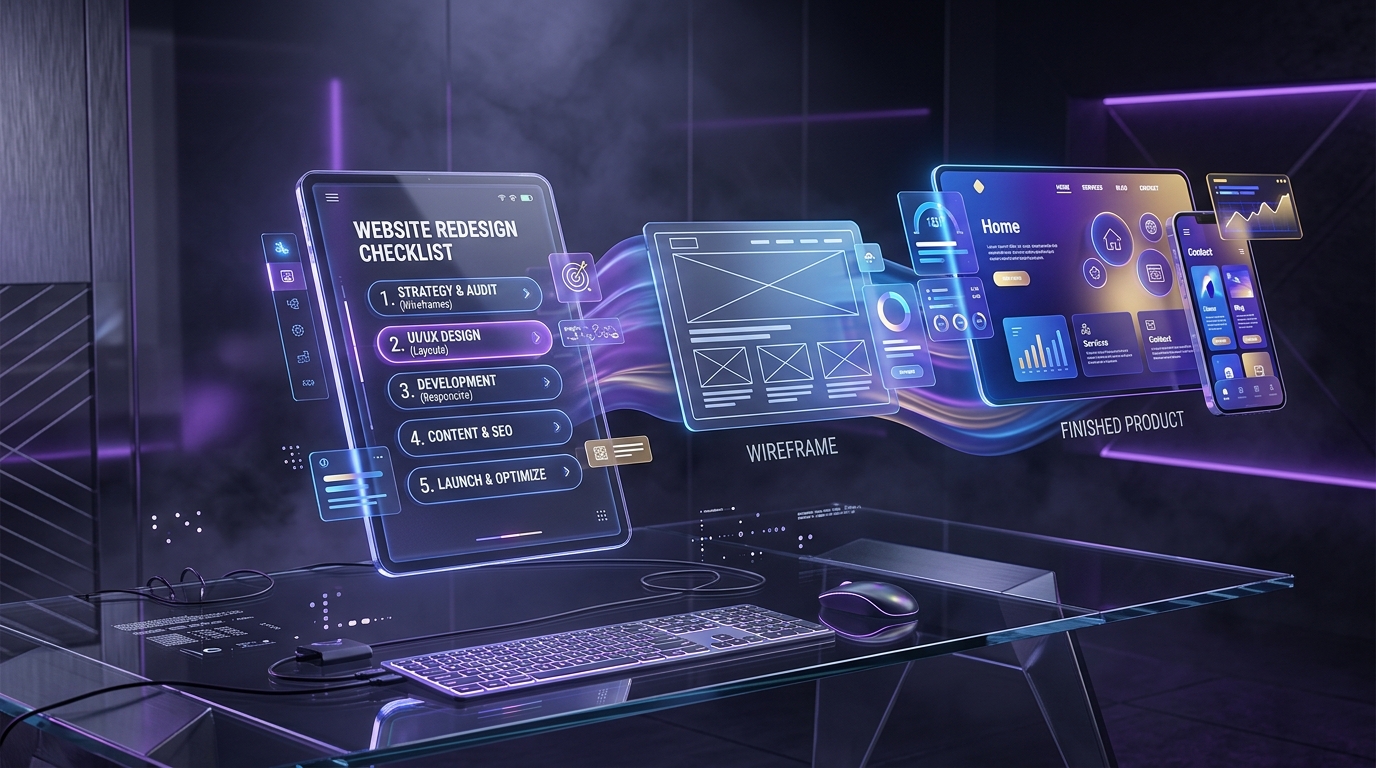
Wireframes are black-and-white structural blueprints that map out content priority, page hierarchy, and interaction placements without the distraction of colors, fonts, or imagery. They allow teams to debate content hierarchy and layout flow objectively before investing in visual styling.
Step 5: Visual UI Design
Once wireframes are signed off, the project moves into high-fidelity visual design. Designers apply typography systems, refined color palettes, custom iconography, bespoke illustrations, imagery guidelines, and responsive grid layouts. The goal is crafting a distinctive digital identity that elevates your brand and guides user focus.
Step 6: Prototyping and Usability Testing
Figma prototypes simulate genuine browser interactions—allowing stakeholders and test participants to click through menus, toggle interactive tabs, and complete checkout journeys. Conducting usability sessions with 5 representative users frequently uncovers up to 80% of usability snags before engineering begins.
Step 7: Developer Handoff and Implementation
Approved designs are packaged with complete component states, responsive breakpoints, spacing tokens, and asset exports for the development team. For custom WordPress builds, designers and developers collaborate closely to ensure the admin editing experience is intuitive and reusable via custom Gutenberg blocks or modular panels.
Step 8: Quality Assurance and Post-Launch Improvement
Before launch, the team performs rigorous cross-browser testing, mobile responsiveness verification, keyboard navigation audits, and speed benchmarks. After going live, heatmaps and event tracking provide empirical data for iterative conversion rate optimization.
5. What Are Wireframes, Mockups, and Prototypes?
While people often use these terms interchangeably, each represents a distinct milestone in the design workflow:
Wireframes: Structure Before Styling
Wireframes are low-fidelity structural sketches. They define where headers, text blocks, images, forms, and buttons sit on the page. By omitting colors and fonts, wireframes keep discussions focused on messaging priority and functional usability.
Mockups: The Visual Appearance
Mockups are static, high-fidelity representations of the final page design. They showcase actual typography, exact brand colors, realistic photography, and precise component styling. Mockups show exactly how the brand will look once launched.
Prototypes: The Experience in Action
Prototypes add interactivity to mockups. Clicking a button opens a mobile drawer, submitting an input triggers a validation state, or scrolling demonstrates sticky navigation behavior. Prototypes provide the closest simulation of the final coded product.
| Deliverable | Primary Purpose | Best Used For |
|---|---|---|
| Wireframe | Establish layout structure, content priority, and information flow | Rapid iteration, stakeholder content alignment, structural approvals |
| Mockup | Communicate visual identity, brand aesthetics, and typography systems | Brand sign-off, marketing asset preparation, visual consistency reviews |
| Prototype | Simulate dynamic interactions, transitions, and user task journeys | Usability testing, developer handoff clarity, executive demonstrations |
6. What Makes a Website User-Friendly?
A user-friendly website eliminates cognitive strain. Visitors should never have to wonder where they are, what your service provides, or how to take the next step. High-performing websites adhere to seven foundational principles:
- Clear Messaging: State your core value proposition in plain language above the fold. Avoid ambiguous buzzwords like “synergistic digital paradigm solutions” in favor of clear statements like “Custom WordPress Development for Fast-Growing B2B Companies.”
- Logical Navigation: Structure menus around how customers search, not your internal company hierarchy. Keep primary navigation under 6–7 items and provide a clear search function for content-rich sites.
- Consistent Visual Hierarchy: Use scale, weight, and color contrast to signal relative importance. An H1 headline must immediately dominate the page, while secondary metadata remains understated.
- Immediate Interactive Feedback: Buttons must react to hover and tap states, links must be visually distinguished from body copy, and form submissions must present immediate confirmation or clear error guidance.
- Adaptive Responsive Layouts: Ensure content effortlessly reflows across any viewport. Form fields, modal popups, and tables must be effortless to tap and scroll on mobile touchscreens.
- Authentic Trust and Credibility Signals: Prominently display real client logos, verifiable case studies, verified customer reviews, clear contact information, and security assurances. Explore our featured client case studies to see trust-focused layouts in practice.
- Universal Accessibility: Adhere to WCAG 2.1 AA standards by maintaining high contrast ratios (minimum 4.5:1 for body text), proper keyboard tabbing order, and descriptive alt text on meaningful imagery.
7. Common UI/UX Design Mistakes to Avoid
Even well-funded digital projects frequently run into trouble when decisions are guided by personal aesthetic preferences rather than customer needs. Watch out for these eight common pitfalls:
✕ Designing Only for Appearance
A flashy website with parallax effects and ambient videos cannot compensate for vague service descriptions, slow loading speeds, or broken forms. Always design for purpose first.
✕ Blindly Copying Competitors
A competitor’s layout may work because of brand equity or a differing sales model. Copying their patterns without user research risks replicating their fundamental flaws.
✕ Skipping Requirements Definition
Jumping directly into visual mockups before agreeing on content architecture, sales funnels, and technical constraints causes massive revisions and delays down the line.
✕ Treating Mobile as an Afterthought
Designing on a 27-inch studio monitor often leads to mobile sites with unreadable fonts, tiny buttons, and broken tables. Prototype mobile viewports concurrently with desktop.
✕ Excessive Animations & Clutter
Intrusive popups, chaotic scroll-jacking, and heavy background animations distract visitors, degrade Core Web Vitals scores, and increase bounce rates.
✕ Overcomplicating Forms
Every superfluous form field slashes conversion rates. Ask only for information strictly required at the initial touchpoint, and make error states descriptive.
8. How UI/UX Design Supports Business Goals
UI/UX design is most potent when directly tied to business performance indicators. Different business models require distinct design strategies:
For Service-Based Businesses
Service agencies and B2B consultancies need to establish domain expertise, communicate problem-solving methodologies, and build buyer confidence. Design supports this through modular service landing pages, structured case study layouts with quantitative metrics, transparent pricing/scope explanations, and streamlined enquiry scheduling.
For Ecommerce Businesses
Online stores rely on frictionless discovery and purchasing flows. UI/UX work focuses on intuitive facet filtering, high-resolution product galleries, customer review highlights, clear shipping notices, one-click cart drawers, and frictionless guest checkouts.
For SaaS and Digital Products
SaaS websites and product dashboards must translate sophisticated software features into digestible workflows. Product UX clarifies feature comparison tables, interactive product tours, self-serve onboarding, and dashboard information density. For actionable techniques, check out our guide on Designing SaaS Interfaces That Convert and Retain Users.
For Educational and Non-Profit Websites
Websites serving diverse audiences—such as students, parents, alumni, or donors—require segmented user journeys. Tailored navigation structures guide each persona directly to course catalogues, financial aid applications, or donation portals with zero ambiguity.
Measuring the Right Outcomes
To evaluate whether your UI/UX investment is yielding returns, track key behavioral metrics:
- Qualified Lead Conversion Rate: The percentage of visitors completing enquiry or consultation forms.
- Task Completion Rate: How efficiently users locate specific case studies, pricing tiers, or documentation.
- Form Abandonment Rate: Pinpointing the exact input fields causing prospective clients to drop off.
- Average Engagement Time & Bounce Rate: Determining whether visitors find your landing pages compelling enough to explore deeper.
- Customer Support Ticket Volume: A noticeable drop in “How do I…” inquiries directly indicates improved navigation clarity.
9. When Should Your Business Invest in UI/UX Design?
Professional UI/UX design is a high-leverage investment at specific stages of your business lifecycle:
- When Building a New Website from Scratch: Investing in user journeys, wireframes, and design systems before writing code saves months of development rework and ensures market product-fit.
- When Redesigning an Outdated Website: An empirical UX audit uncovers exactly where legacy structures are leaking traffic, allowing you to modernize visual aesthetics while protecting existing SEO equity.
- When Launching an Ecommerce Store or Adding New Product Lines: Organizing product discovery, faceted search, and cart funnels ensures optimal shopping experiences from day one.
- When Developing a Custom Web Application or SaaS Portal: Complex user permissions, account settings, and data dashboards demand wireframing and user testing before engineering starts.
- When Visitors Are Struggling to Convert: If your web traffic is healthy but form submissions are stagnating, a targeted UI/UX conversion audit can diagnose and resolve friction points.
- When the Website Has Become Hard to Maintain: Patchwork plugins and inconsistent page templates slow down team updates. A modular component library simplifies content publishing across your entire organization.
10. How to Choose a UI/UX Design Partner
Selecting the right design agency is about much more than browsing aesthetic portfolio screenshots on Dribbble. You need a strategic partner that understands commercial goals, respects technical constraints, and communicates transparently with your development team.
Evaluate potential design partners against these six benchmarks:
- Proven Commercial Experience: Look for case studies that demonstrate measurable outcomes—such as increased leads, higher average order value, or reduced bounce rates—in your industry.
- A Transparent, Structured Methodology: The agency should clearly articulate how they run discovery, conduct research, structure wireframes, test prototypes, and deliver design tokens. Learn more about evaluating agencies in our comprehensive guide: How to Choose the Right WordPress Development Company.
- Strategic Reasoning Behind Decisions: A premier designer should be able to explain why a specific layout, navigation pattern, or color choice was chosen based on user psychology and data.
- Close Technical Collaboration: Unrealistic Figma mockups that cannot be developed within budget or platform limits waste time. Ensure your design agency works hand-in-hand with experienced front-end developers.
- Comprehensive Deliverables & Full IP Ownership: Confirm that you receive complete Figma design files, design token documentation, interactive prototypes, and 100% intellectual property ownership upon project completion.
- Direct, Senior-Level Communication: Ensure you are collaborating directly with experienced designers and strategists rather than being passed to junior account managers.
7 Essential Questions to Ask Before Hiring an Agency
- “How do you research our target audience and industry competitors before proposing layouts?”
- “What design deliverables will we receive at each stage of the project?”
- “How do you validate design decisions and test usability before code is written?”
- “How do you ensure designs are accessible (WCAG AA) and responsive across all mobile viewports?”
- “How does your team collaborate with WordPress or front-end developers during the handoff phase?”
- “What metrics do you use to measure whether the redesigned interface achieved its objectives?”
- “What does the revision and stakeholder feedback process look like?”
Frequently Asked Questions
What is UI/UX design in simple terms?
UX (User Experience) design focuses on the overall journey, ease of use, and satisfaction someone has while using your website. UI (User Interface) design focuses on the visual presentation and interactive elements—such as colors, fonts, buttons, and layouts—through which that journey occurs. Together, they make websites easy to navigate and engaging to use.
What is the difference between a UI designer and a UX designer?
A UX designer investigates user needs, maps workflows, architects navigation structures, and tests usability. A UI designer refines typography, selects color palettes, styles interactive components, and builds design systems. Many multidisciplinary product designers possess strong skills in both areas.
Is UI/UX design necessary for a small business website?
Yes. Even a 5-page small business website requires clear navigation, readable typography, mobile responsiveness, fast-loading layouts, and prominent contact forms. Investing in thoughtful UI/UX ensures visitors immediately understand what you do and can easily reach out for an estimate.
What is the typical UI/UX design process?
A standard design lifecycle includes Discovery & Strategy, Audience Research, Information Architecture & User Journeys, Wireframing, Visual UI Design, Interactive Prototyping, Usability Testing, Developer Handoff, and Post-Launch Optimization.
How much does professional UI/UX design cost?
Costs vary widely depending on project complexity, number of unique page templates, custom illustrations, and usability research requirements. A targeted design overhaul for a business website typically ranges from $3,000 to $10,000+, while comprehensive design systems for large web applications or SaaS platforms can range from $15,000 to $50,000+. Always request a scoped proposal detailing deliverables, revision cycles, and ownership.
What tools are commonly used for UI/UX design?
Figma is the industry standard for UI design, component systems, and clickable prototyping. Teams also utilize FigJam or Miro for collaborative discovery and user journey mapping, and platforms like Hotjar or UserTesting for behavioral heatmaps and user feedback.
What is a wireframe in UI/UX design?
A wireframe is a simplified, grayscale schematic of a web page. It maps out content hierarchy, layout proportions, and button placements before any visual styling (colors, imagery, typography) is applied.
Can professional UI/UX design improve website conversion rates?
Yes. By streamlining navigation, eliminating unnecessary form fields, creating high-contrast call-to-action buttons, and establishing trust signals, thoughtful design removes friction from the conversion funnel. Many businesses experience 20% to 200%+ increases in qualified leads following a strategic redesign.
Should UI/UX design happen before website development?
Absolutely. Resolving page structure, mobile behavior, and interactive states in design prototypes is exponentially faster and more cost-effective than making continuous architectural changes directly in code during development.
Final Thoughts
UI/UX design is not merely about making a website look modern or stylish. It is about deeply understanding what your prospective customers need to achieve, and constructing an intuitive, delightful interface that helps them do it effortlessly while advancing your business objectives.
UX design shapes the underlying strategy, workflows, and content architecture. UI design elevates that strategic framework with memorable brand expression, visual hierarchy, and polished micro-interactions. When both disciplines operate in tandem, your website transforms into your most powerful commercial engine.
At WP Bunch, we believe that world-class digital experiences harmonize strategic planning, high-fidelity design, and high-performance engineering. Our human-centered approach ensures your digital presence looks extraordinary and performs flawlessly on every device.
Planning a New Website or Strategic Redesign?
Explore our dedicated UI/UX Design and Web Design services to discover how we architect high-converting user journeys and responsive digital experiences.